Steps,
- Adding the Beneficiary
- Pay the Stamp Duty
- Fill out DIS form
- Verifying the transaction
Step 1: Add the Beneficiary (Target Account)
NSDL requires you to "pre-register" the buyer's account before a transfer can happen.
- Log in to NSDL SPEED-e or your DP’s online portal.
- Go to Inquiries/Maintenance
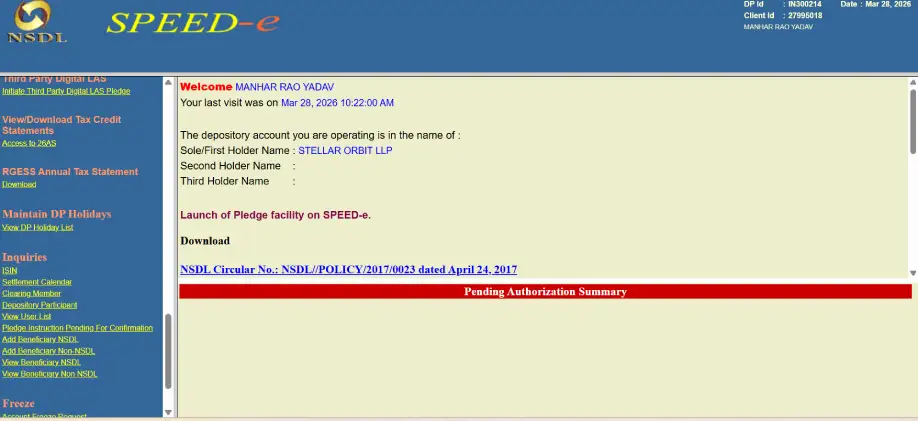
Note: Click on Add Beneficiary NSDL (NSDL TO NSDL), Click on Add Beneficiary Non-NSDL (NSDL TO CDSL)
- Enter the Buyer’s details:
- Target DP ID & Client ID (16 digits total).
- Beneficiary Name (Must match their demat record exactly).
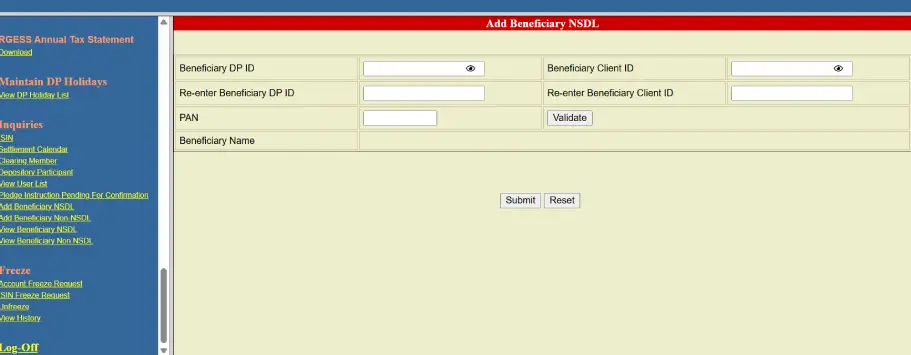
- Authenticate the addition with the OTP sent to your registered mobile/email.
Step 2: Calculate & Pay Stamp Duty (Online)
Before the branch can process your slip, the stamp duty must be paid. For unlisted shares, the rate is 0.015% of the consideration value.
- Payment Process:
- Visit the NSDL Stamp Duty Calculator.
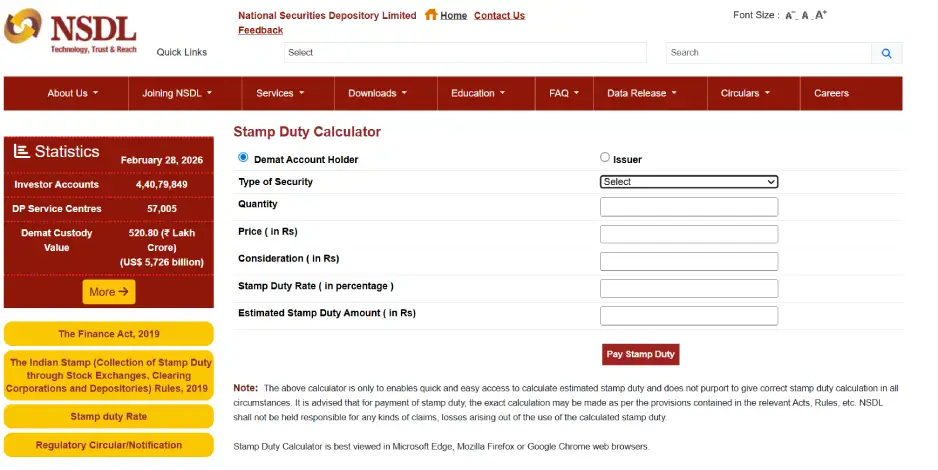
- Select “Type of security”
Note: Equity Share or if it is (CCPS) select Preferential shares.
- Enter the Quantity and Price.
- Click "Pay Stamp Duty".
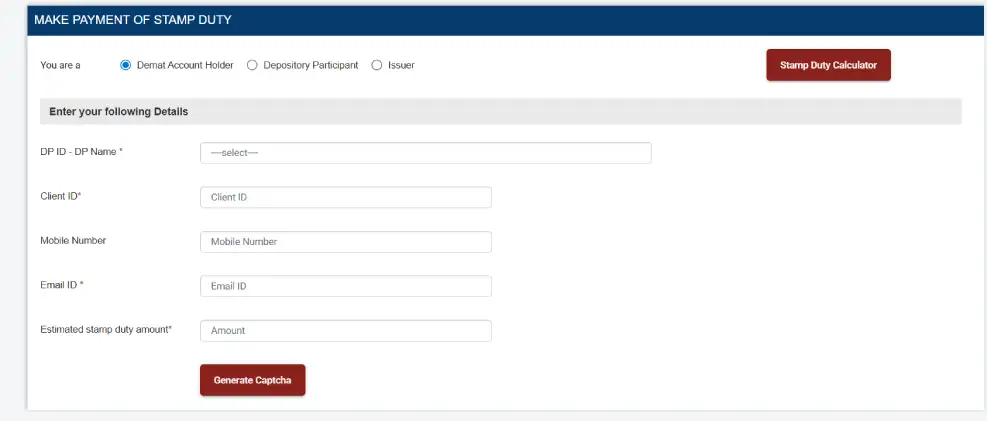
- Enter your DP ID and Client ID carefully.
- Complete the payment via Net Banking or UPI. Keep the payment receipt/acknowledgment—you must attach this to your DIS slip.
Step 3: Fill out the DIS (Delivery Instruction Slip)
When filling out the physical slip from your booklet:
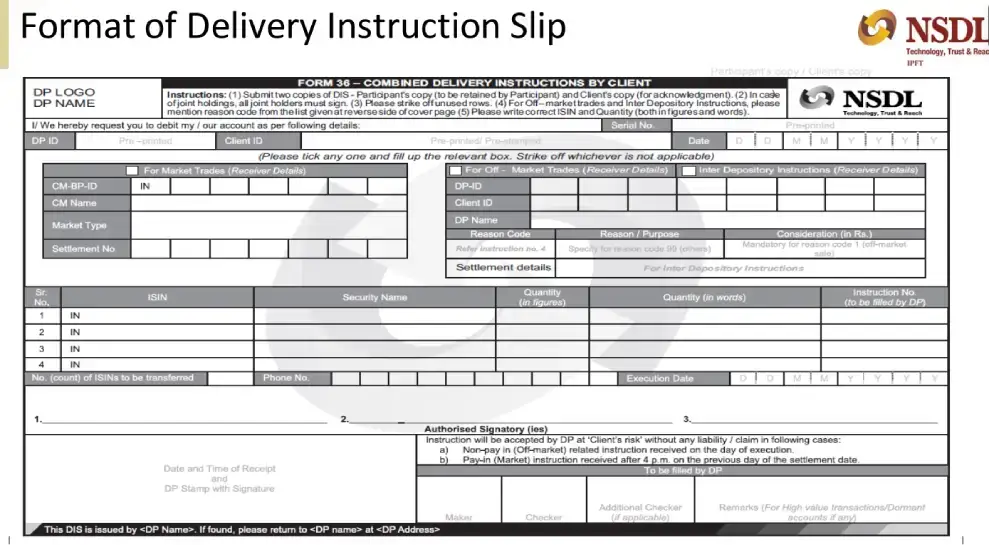
- Tick For Off- Market Trades (NSDL to NSDL) Or Tick Inter-Depositary (NSDL to CDSL)
- Write down Target DP ID and Client ID
- ISIN: Ensure you use the correct ISIN for (e.g., INE...).
- Consideration: Selling Value
- Reason Code: Select "Off-Market Sale" (Code 01).
- Execution Date: Put the date you want the shares to actually leave your account (usually today or tomorrow).
- Signature: Must match the signature on your demat account exactly.
Step 4: Submission at the Branch
Take the following to your DP branch:
- The Original DIS Slip (completely filled and signed).
- A copy of the Stamp Duty Payment Receipt from Step 1.
- A copy of the Deal Slip (which you already have).
- Annexure/Self-Declaration: Some branches require a simple "Annexure" form for off-market trades where you declare the reason for the sale.
Step 5: Verification & Final Transfer
- Verification Link: You will receive an SMS/Email from NSDL containing a secure link.
- Approve Transfer: Click the link, verify the details and click "Generate OTP."
- Enter OTP: Input the 6-digit code received on your mobile to approve the trade.
Note: This must be done before 10:00 PM today or the request will expire.
- Debit Confirmation: Once the OTP is verified, the shares will be debited from your account. You will receive a final confirmation SMS: "A/c [ID] debited with Share name."
- Completion: The shares will reflect in the buyer's demat account within 24–48 hours.