

You need to register to transfer shares from your CDSL account to other CDSL Demat accounts.
Once you’ve registered, follow these steps to transfer securities from your DEMAT account
Step 1: Adding a Beneficiary
Before you can move securities off-market, you must link the receiver’s account as a beneficiary.
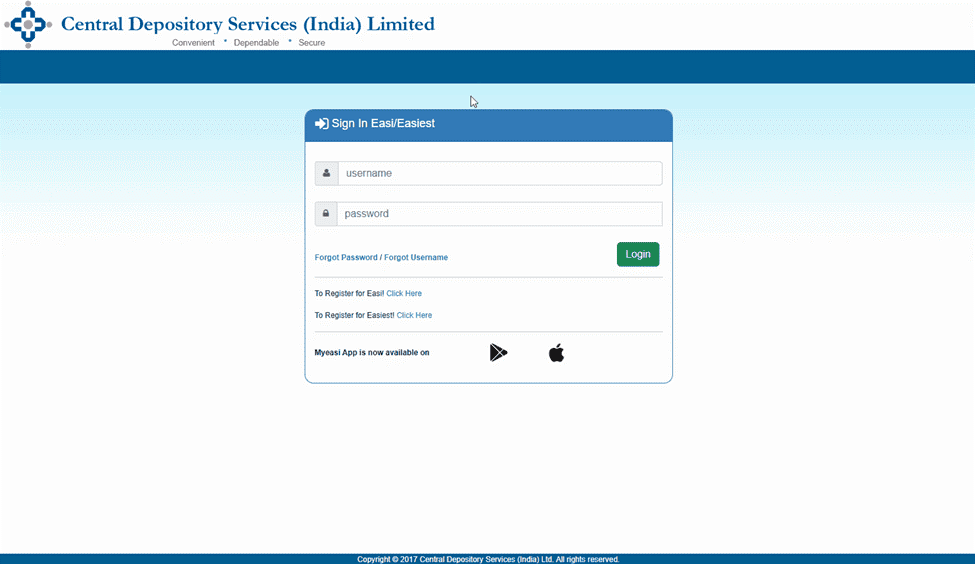
- Access the Portal: Visit the CDSL Easiest login page.
- Click on Miscellaneous > BO Linking > BO Linking Setup.
- Input the buyer’s (receiver’s) BO ID and PAN, then click Submit.
Step 2: Verifying the Beneficiary
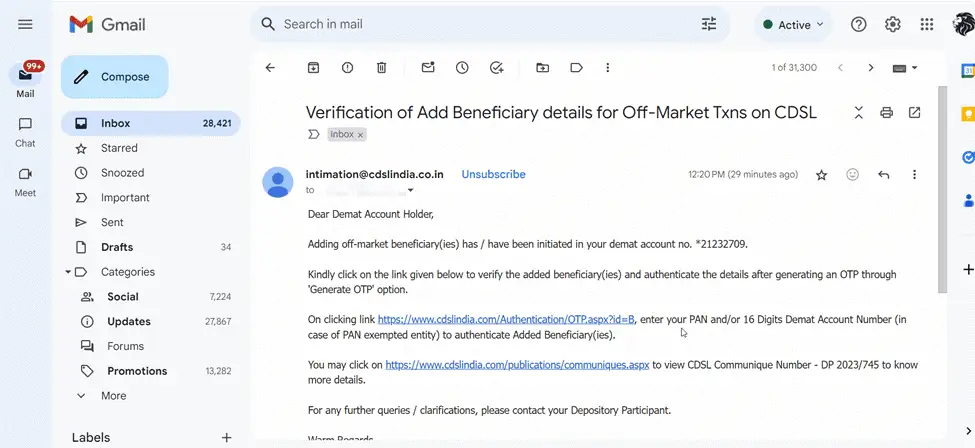
Once initiated, CDSL will send a verification email to authenticate the new link.
- Click the link provided in the CDSL email.
- Enter your (the transferor’s) PAN or 16-digit Demat Account Number.
- Click BO SELLER BUYER LINK and then Submit.
- Final Acceptance: Tick the beneficiary details, click Generate OTP, enter the code received, and click Accept.
The beneficiary is added instantly upon completion.
Step 3: Share Transfer Online
With the beneficiary verified, you can now initiate the off-market transfer.
1. Within CDSL Easiest, go to Transactions > Setup
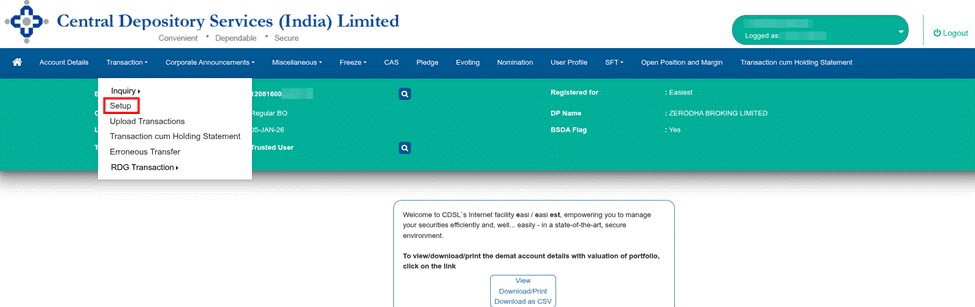
- Click On Bulk Setup.
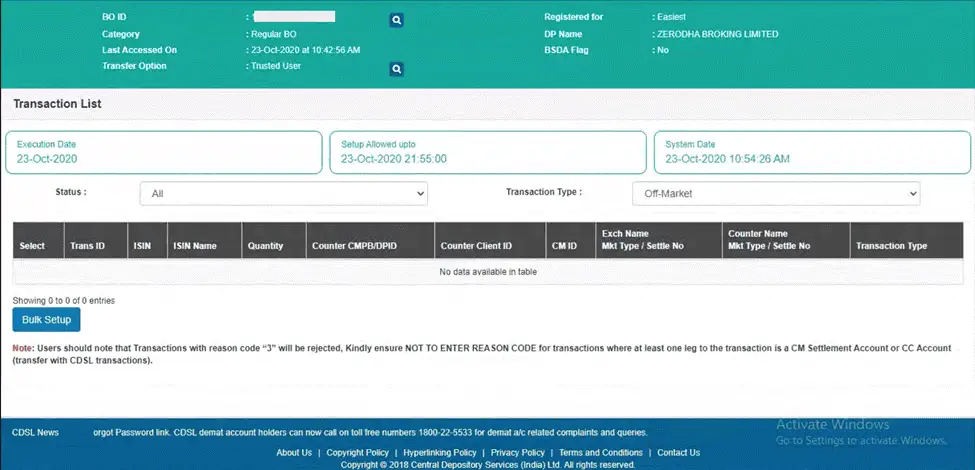
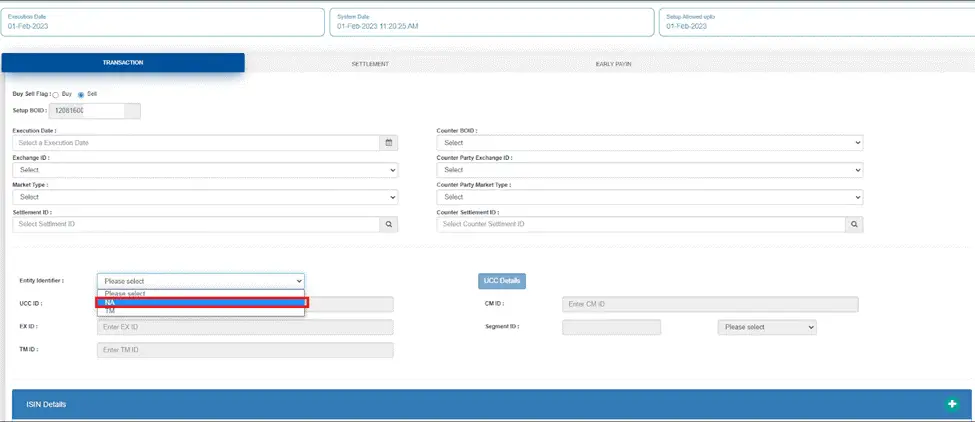
2. Specify Target: Enter the Execution Date and select the Beneficiary Owner ID (BOID) of the receiver.
3. Entity Identifier: Set the “Entity Identifier” drop-down to NA.
4. Select Securities: Click Account ISINs, choose your holdings, and enter the Quantity and Reason for Trade.
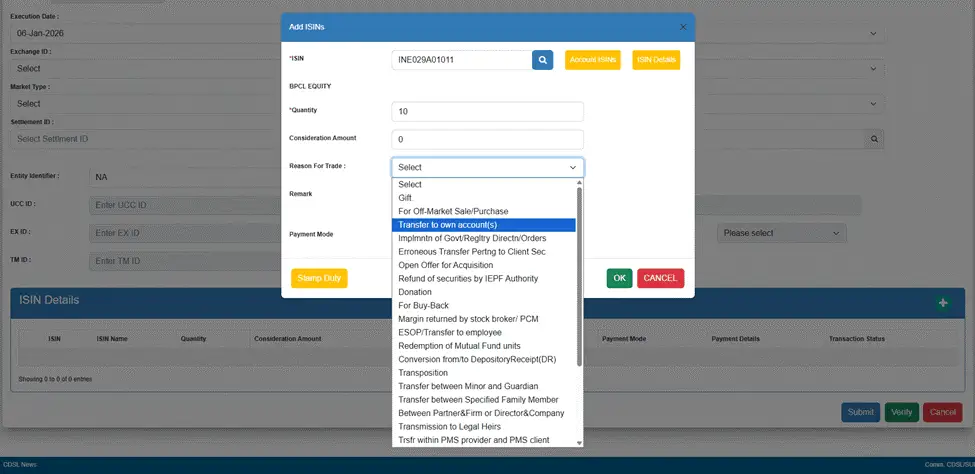
- For Sales: If money is being exchanged, enter the Consideration Amount, select the payment mode, and provide the buyer’s bank details.
- For Gifts/Self-Transfers: If no money is exchanged, set the consideration amount to zero and leave the payment mode blank.
Step 4: Final Authentication and Approval
1.Commitment: Review your transaction list, select the entries, and click Commit.
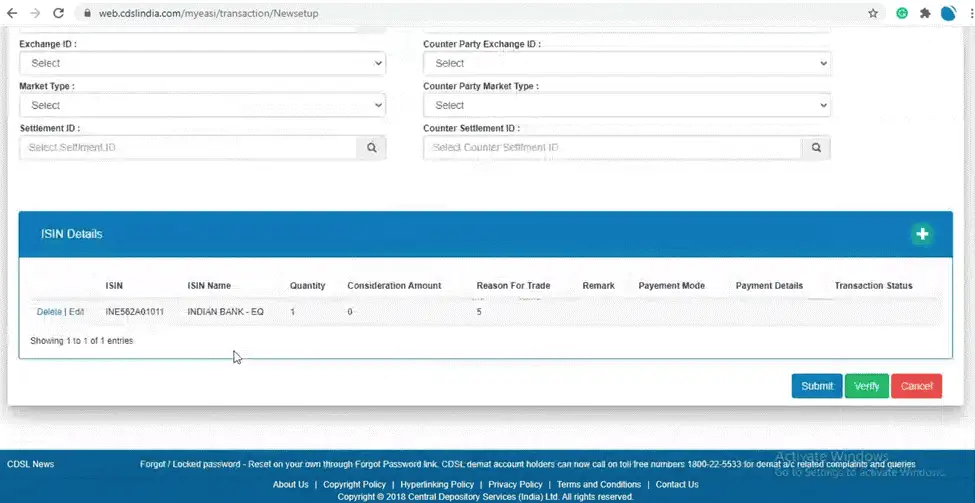
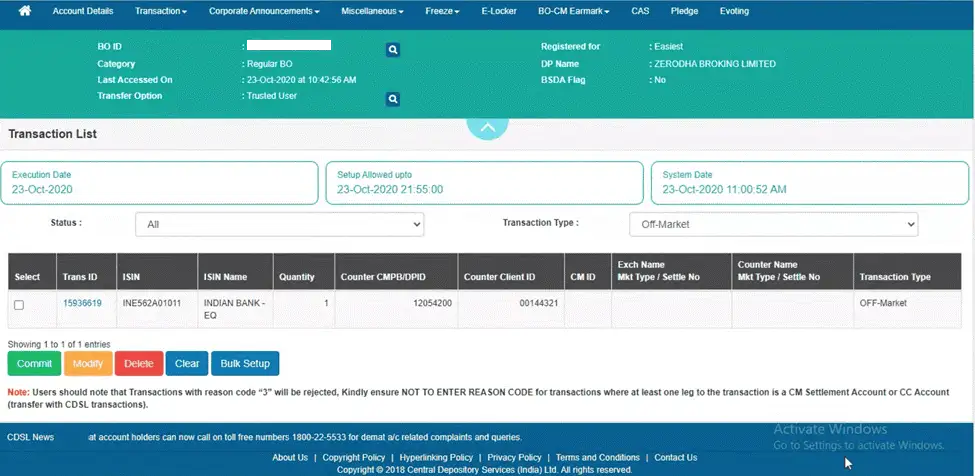
2. Verification: Enter the OTP sent to your mobile/email and your 8-digit alphanumeric CDSL Easiest PIN.
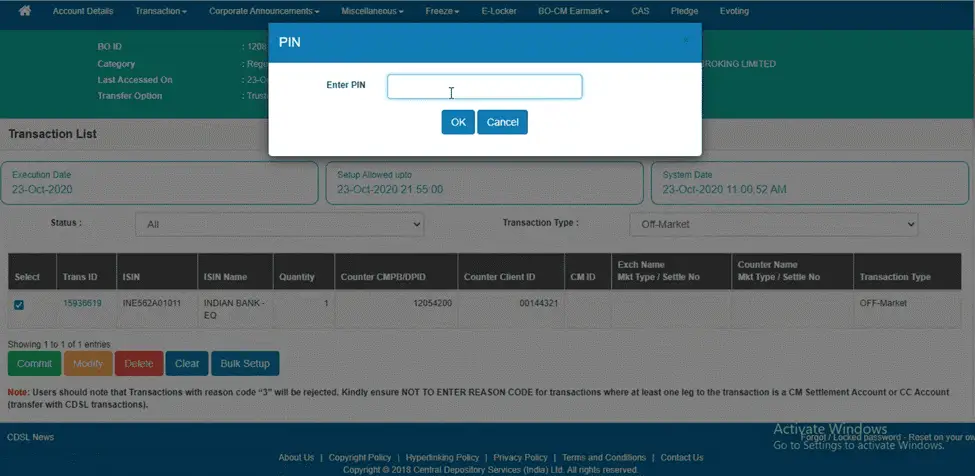
- Note: Do not use your 6-digit TPIN here.
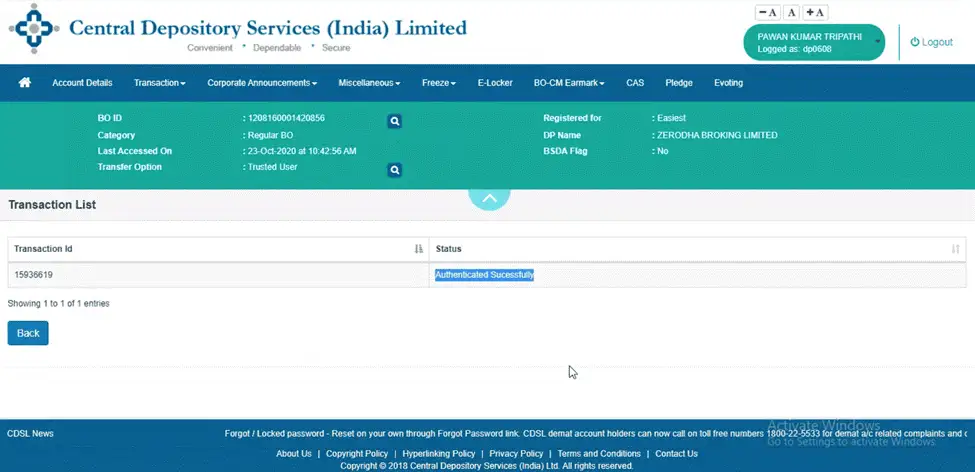
3. DP Approval: The request is sent to your Depository Participant (DP) for final confirmation and processing.
Important Considerations
To avoid transaction failure, keep the following constraints in mind:
| Category | Requirement / Constraint |
| Charges | ₹25 + 18% GST per security (ISIN). |
| Cut-off Time | Submit before 6 PM for same-day processing. |
| Account Status | Transfer will fail if the account is Dormant, Frozen, or has a Negative Balance. |
| Restrictions | Pledged or lock-in shares (such as ELSS) cannot be transferred. |
| Stamp Duty | For off-market sales, you must pay stamp duty to CDSL via your virtual account before transferring. |
Also Read: How to Transfer Shares from One NSDL Demat Account to Another Using NSDL Speed-e