

Step 1: Registration for SPEED-e
You must register for the SPEED-e facility to submit delivery instructions online.
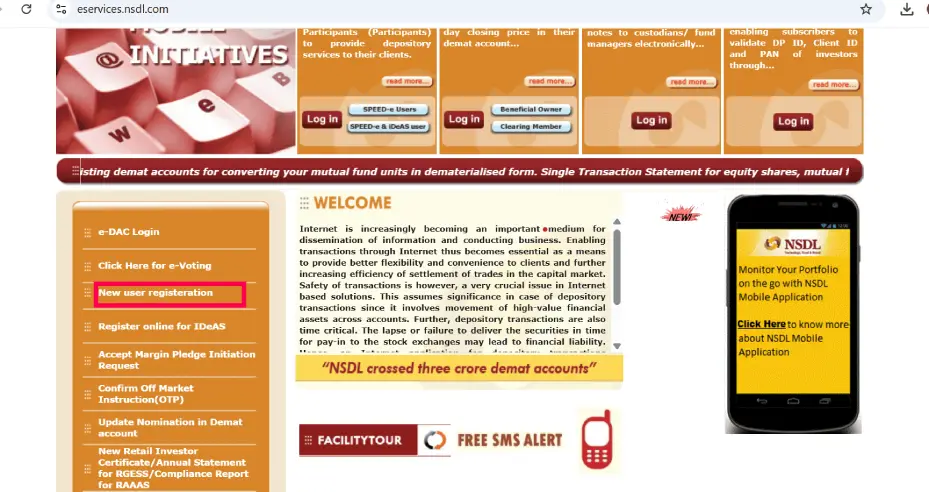
1. Online Setup: Visit eservices.nsdl.com and select New User Registration > SPEED-e.
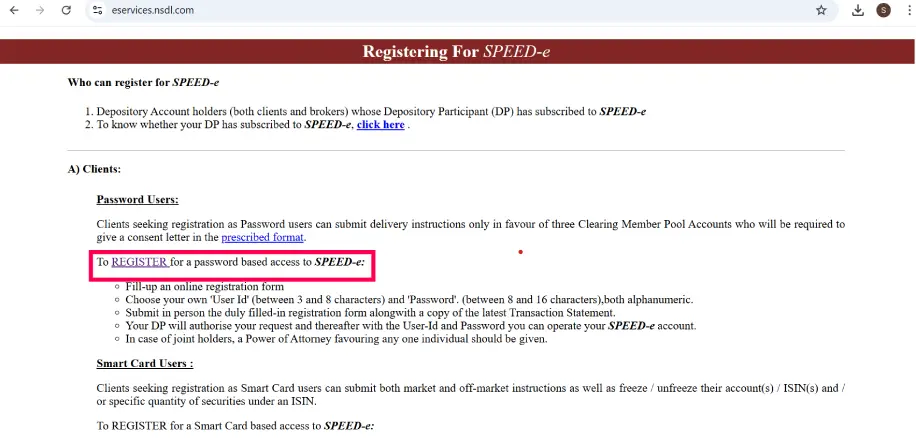
2. User Type: Choose “Password User” (standard for retail) or “Smart Card/e-Token User” (required for inter-depository or inter-DP transfers).
3. Details: Enter your DP ID, 8-digit Client ID, and registered mobile/email.
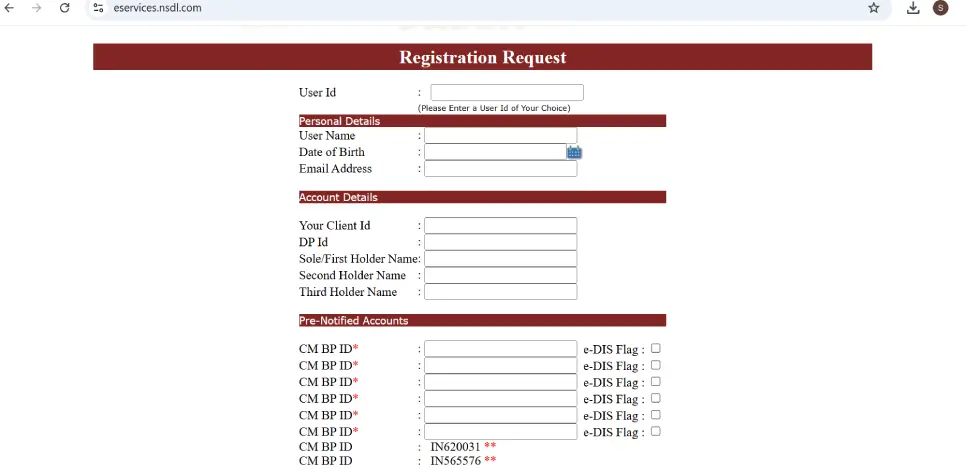
Note: Add at least one CM-BP-ID (Clearing Member ID of your broker). You can add up to six.
- Authorization: * Password Users: Submit the physical registration form to your DP for activation.
- OTP Users: Some DPs now offer a paperless registration verified purely via OTP.
Step 2: Adding an NSDL Beneficiary
Before initiating a transfer, you must pre-authorize the target NSDL account.
1. Add Target: Log in to SPEED-e and navigate to Inquiries > Add Beneficiary (NSDL).
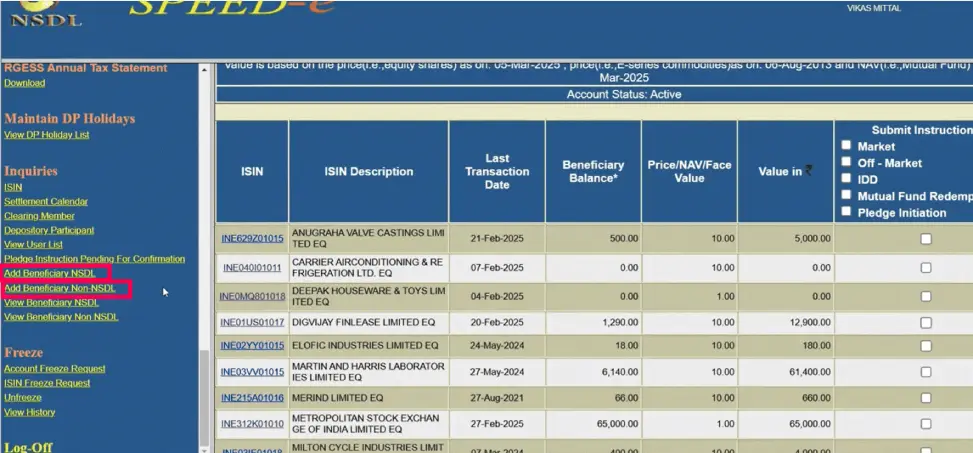
2. Target Details: Enter the receiver’s DP ID, Client ID, and PAN.
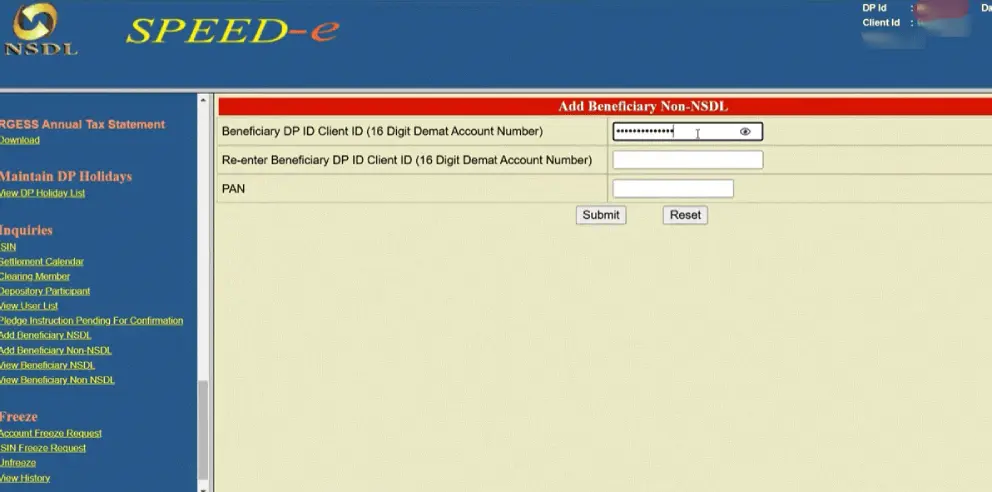
3. Verification Link: NSDL will send a link to your registered mobile and email.
4. OTP Approval: Click the link, verify the receiver’s details on the webpage, and enter the OTP to confirm the addition.
Step 3: Executing the Transfer
Once the beneficiary is added, you can initiate the off-market transfer.
1. Submit Instruction: Go to Transactions > Submit Instruction > Delivery to Client.
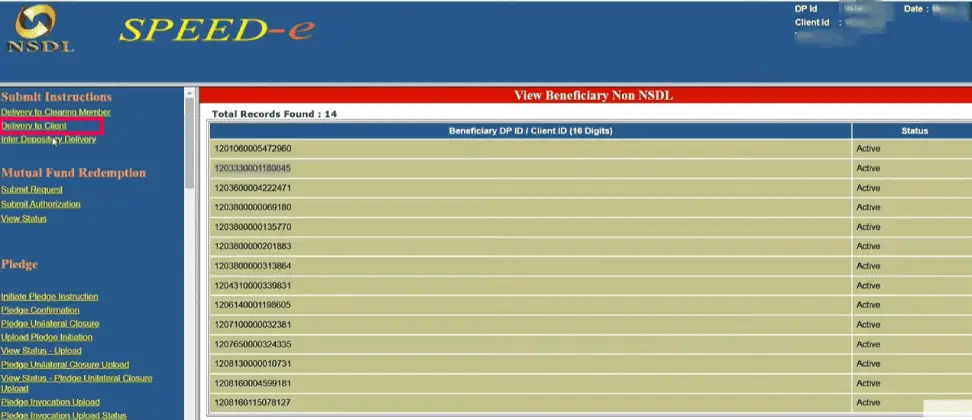
2. Select Target: Choose the receiver’s account from your pre-added beneficiary list.
3. ISIN Selection: Select the securities you wish to move from your holdings and enter the Quantity.
4. Reason Code: Select the appropriate reason for the transfer (e.g., “Transfer to own account” or “Gift”).
5. Final Authorization: Review the request and authorize it using the OTP sent to your registered mobile/email.
Important Considerations
| Category | Requirement / Constraint |
| Charges | Standard off-market fees are approximately ₹25 + GST per ISIN, though individual DPs may vary. |
| Execution | Transfers take place on the specified Execution Date, provided the buyer has a standing receipt instruction or provides a matching receipt. |
| Cut-off Time | Most DPs require instructions by 4:00 PM (or 6:00 PM depending on the DP) for same-day processing. |
| Account Type | Password users are generally limited to transferring to Pre-notified Clearing Member accounts unless they upgrade to e-Token/Smart Card access. |
Also Read: How to Transfer Shares to Another CDSL Demat Account: CDSL Easiest