

Step 1: Initial Online Request
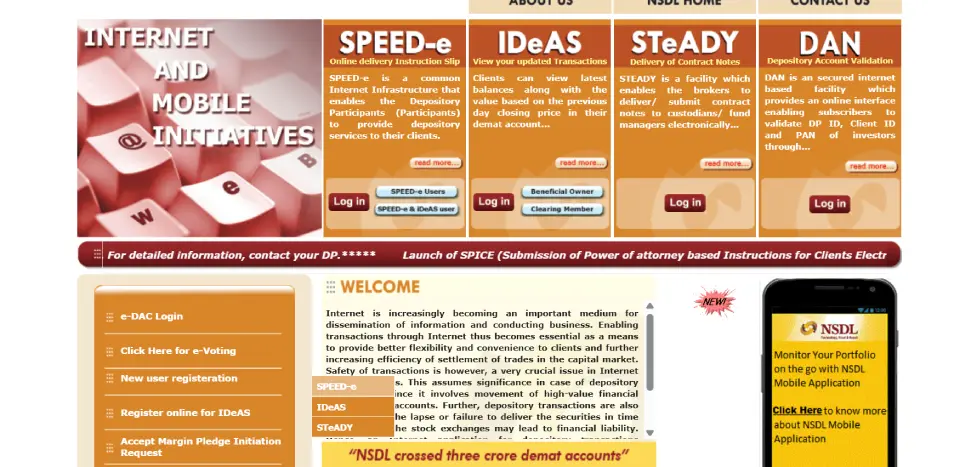
- Visit the NSDL e-Services website.
- On the homepage, click on New User Registration and Select SPEED-e
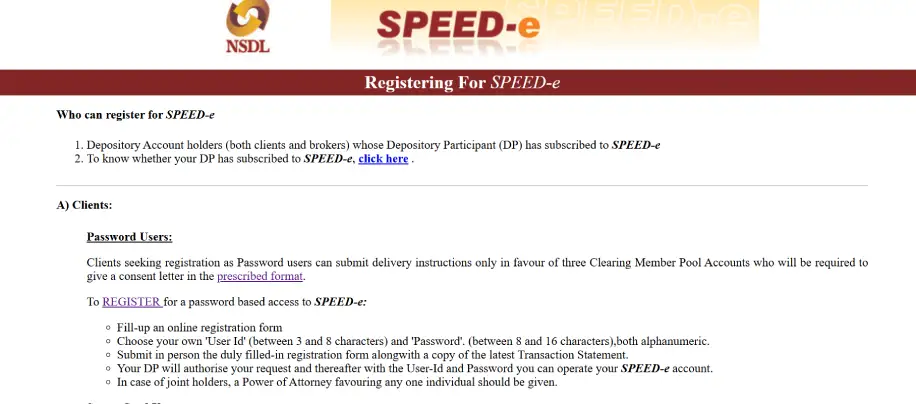
3.Under the “A) Clients: Password Users” section, click the “REGISTER” link (usually highlighted in purple).
Step 2: Fill the Registration Form
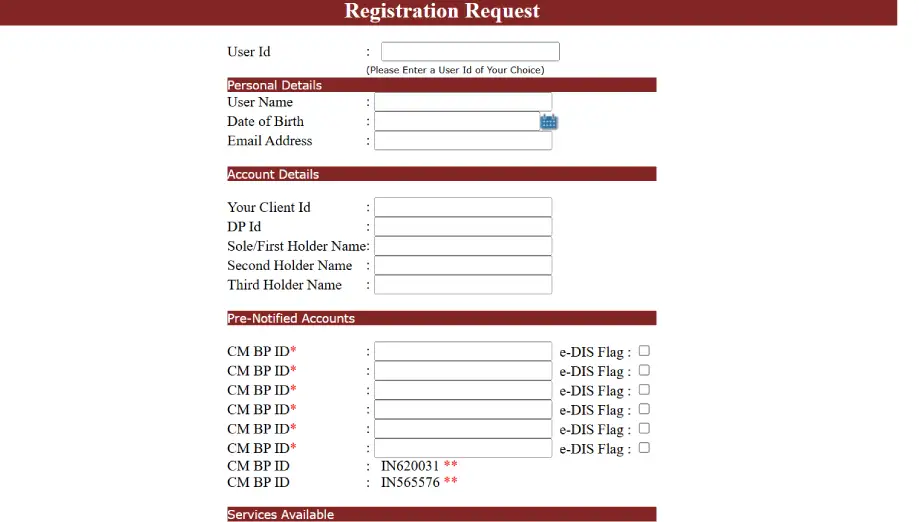
You will need to enter the following details:
- User ID: Create a unique ID (3–8 alphanumeric characters).
- Account Details: Enter your DP ID and Client ID (found on your CML or transaction statement).
- Personal Details: Name, Date of Birth, and your registered email address.
- Pre-Notified Accounts: You must add the CM-BP-ID (Clearing Member Business Partner ID) of your broker.
Note: You need to add At least two other brokers BP ID to proceed further, you can add up to 6 pre-notified broker accounts.
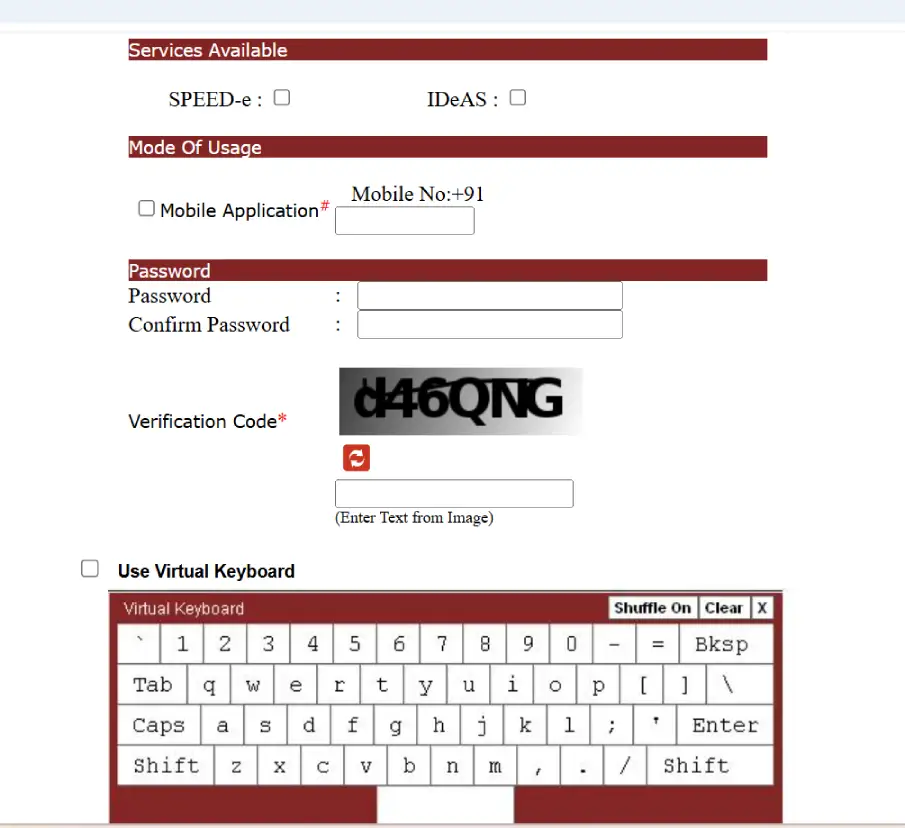
- Password: Create a password (8–16 characters).
Step 3: OTP Verification
- After clicking “Submit,” an OTP will be sent to the mobile number and email ID registered with your demat account.
- Enter the OTP and click “Confirm.”
- The system will generate a Registration Request Number. Make sure to note this down.
Step 4: Submission & Activation
While the process is increasingly digital, many DPs still require a formal sign-off:
- Print the Form: Click on “Print of this registration form” to download the PDF.
- Email/Submit: Sign the form and email the soft copy to speede@nsdl.co.in from your registered email ID.
- DP Authorization: NSDL forwards this to your Depository Participant (DP). Your DP will verify the details and authorize your access. You will receive an email confirmation once it is active.